How to Check Connected IPs on Linux Server

Premium services since 2010

Trusted by thousands of businesses worldwide • 99.9% Uptime Guarantee • Crypto Accepted

Table of Contents

Server running sluggish, fan spinning loud, or seeing weird bandwidth spikes on your Linux VPS? The first thing to ask is simple: who is connected to this box right now?

Forget old netstat commands that take forever to crawl through buffers. Modern Linux comes with ss (socket statistics) which talks straight to kernel space. Here is how to see every connected IP, sort them by traffic volume, and find the exact process behind them in seconds.

See Top Connected IPs Ranked by Sockets

Run this one-liner to grab every established connection, group identical IPs together, and rank them from busiest to quietest:

ss -nt state established | awk '{print $5}' | cut -d: -f1 | sort | uniq -c | sort -nr | head -n 20

What this tells you:

  • Left column: How many simultaneous connections that IP has open.
  • Right column: The remote IP address.

Seeing 2 to 5 connections from a single IP is normal web traffic. Seeing 80 or 200 connections from one unfamiliar IP usually means an aggressive scraper, crawler, or brute-force tool hammering your site.

Filter by Port: Web (80/443) or SSH (22)

To inspect only visitors hitting your Nginx or Apache web server:

ss -nt state established '( dport = :80 or dport = :443 )' | awk '{print $5}' | cut -d: -f1 | sort | uniq -c | sort -nr

Wondering if someone is attempting an SSH brute-force or who is currently logged in via terminal:

ss -tn dst :22 | awk '{print $5}' | cut -d: -f1 | sort | uniq -c | sort -nr

Managing an XRDP server or Windows machine? Just swap the port to 3389 to see who is on Remote Desktop.

Find the Exact Process Behind the Connection

Found a suspicious IP, but not sure which service is serving it? Use lsof to inspect the file descriptors:

sudo lsof -i @198.51.100.75

This shows the executing user (like www-data or root), the process name (nginx, php-fpm, python), and the process ID (PID) so you know exactly which app is handling that visitor.

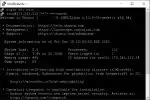
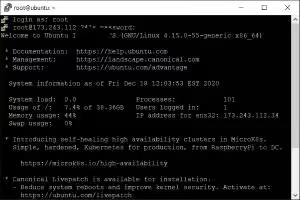
Linux ss command inspecting connected IP addresses in terminal

Watch Traffic Live on Your Terminal Screen

If you are actively diagnosing an ongoing traffic spike, watching a static output once is not enough. Wrap the socket counter in the watch command to get a live dashboard that refreshes every 2 seconds:

watch -n 2 "ss -nt state established | awk '{print \$5}' | cut -d: -f1 | sort | uniq -c | sort -nr | head -n 15"

Keep this running in a tmux window. When you drop abusive IPs using our firewall ban and unban guide, you will watch their connection counters drop to zero in real time.

Never Miss an Update

Get expert tips, tutorials, and hosting insights delivered to your inbox weekly. Join 10,000+ subscribers!
🔒 We respect your privacy. Unsubscribe anytime.