
Domain Name System (DNS) servers translate human-readable domain names into IP addresses. When a DNS server running on a Windows VPS, RDP, or dedicated server is left open to public recursive queries, attackers exploit it to launch massive DNS Amplification and UDP Reflection DDoS attacks.
Disabling recursive DNS ensures your authoritative DNS server only answers queries for the specific domains you host, completely preventing third-party attackers from using your bandwidth to attack other systems.
What is open DNS recursion and why is it dangerous?
A recursive DNS resolver looks up answers from root and authoritative servers on behalf of any requesting client. If your server answers recursive requests from the public internet:
- IP Spoofing: Attackers send tiny DNS queries (e.g.
ANYqueries) with the victim’s forged source IP address to your server over UDP port 53. - Traffic Amplification: Your server replies to the victim with a massive payload (up to 50x–70x larger than the request), saturating network uplinks and triggering datacenter abuse warnings.
- Bandwidth Exhaustion: Your server’s monthly bandwidth allowance is rapidly depleted by attack traffic.
How to disable recursive DNS on Windows Server (2016, 2019, 2022, 2025)
If you run Microsoft DNS Server on Windows Server, follow these steps to turn off recursion:
- Log in to your Windows Server over Remote Desktop with Administrator privileges.
- Open Server Manager from the Start menu or taskbar.
- Click on Tools in the top right menu and select DNS (or open
dnsmgmt.mscvia Win + R). - In the DNS Manager tree, right-click your Server Name and select Properties.
- Navigate to the Advanced tab.
- Under the Server options checklist, check the box for Disable recursion (also disables forwarders).
- Click Apply, then click OK to save the configuration.
How to disable recursive DNS on Linux (BIND / named)
For Linux servers running the BIND DNS daemon (CentOS, AlmaLinux, Rocky Linux, Ubuntu, Debian):
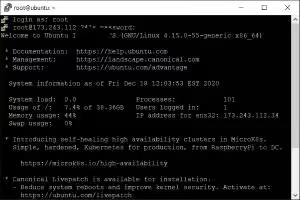
- Connect to your server via SSH as
root. - Open your BIND configuration file in a text editor (e.g.
/etc/named.confor/etc/bind/named.conf.options):nano /etc/named.conf - Inside the
options { ... };configuration block, add or update the following directives:options { recursion no; additional-from-cache no; allow-query { any; }; // or restrict to specific subnets }; - Check your BIND configuration syntax for errors:
named-checkconf - Restart the BIND service to apply changes:
systemctl restart named
# or on Debian/Ubuntu:
systemctl restart bind9
Securing Dnsmasq and Unbound resolvers
- Dnsmasq: Dnsmasq is intended only for local networks. Ensure it only listens on loopback and private interfaces by setting
listen-address=127.0.0.1in/etc/dnsmasq.conf, or enablebind-interfaces. - Unbound: In
/etc/unbound/unbound.conf, explicitly restrict query access to localhost:access-control: 127.0.0.0/8 allow access-control: 0.0.0.0/0 refuse
Block unnecessary inbound DNS traffic via firewall
If your VPS does not host public nameservers for domains, you should completely close public UDP and TCP port 53:
On Linux (UFW / FirewallD):
# UFW (Ubuntu/Debian)
sudo ufw deny in 53

# FirewallD (RHEL/CentOS/AlmaLinux)
sudo firewall-cmd --permanent --remove-service=dns
sudo firewall-cmd --reload
On Windows Firewall:
netsh advfirewall firewall add rule name="Block Inbound DNS Port 53" dir=in action=block protocol=UDP localport=53How to verify DNS recursion is disabled
Test your server from an external machine using dig or nslookup:
dig @YOUR_SERVER_IP google.com +recurseIf recursion is successfully disabled, the output status will return REFUSED (or no response if port 53 is firewalled), and the flags section will not contain the ra (Recursion Available) flag.