DirectAdmin is significantly lighter on system resources than cPanel, making it a favorite for 1GB to 2GB RAM Linux VPS servers. The old multi-step installation process requiring manual Client ID and License ID inputs has been replaced by an automated installer tied directly to your server IP address.
Here is how to deploy DirectAdmin on a clean installation of AlmaLinux 8/9, Rocky Linux, Ubuntu 22.04/24.04, or Debian 12.
1. Set FQDN Hostname and Install Essentials
DirectAdmin will refuse to install if your hostname matches a domain you plan to host. Always set a subdomain hostname (e.g., server.yourdomain.com):
sudo hostnamectl set-hostname server.yourdomain.com
Next, install the required build dependencies and download utilities:
# On AlmaLinux / Rocky Linux / RHEL:
sudo dnf install -y epel-release
sudo dnf install -y curl tar wget screen gcc gcc-c++ make flex bison
# On Ubuntu / Debian:
sudo apt update
sudo apt install -y curl tar wget screen gcc g++ make flex bison
2. Launch the Automated DirectAdmin Setup
Wrap the installer in a detached screen session to protect against accidental SSH drops:
screen -S da-install
curl -O https://www.directadmin.com/setup.sh
chmod 755 setup.sh
./setup.sh auto
The auto flag detects your registered DirectAdmin software license via your public IP, configures the CustomBuild 2.0 compiler, and installs Apache, PHP, and MariaDB automatically.

3. Open Port 2222 and Explore the Dashboard
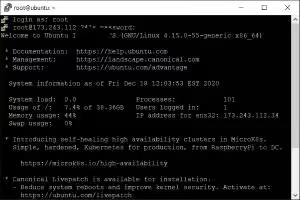
Once CustomBuild finishes, your terminal will display the generated admin credentials and access URL:
https://your-server-ip:2222
If the web interface fails to load, ensure port 2222 is permitted through your system firewall:
# On FirewallD:
sudo firewall-cmd --add-port=2222/tcp --permanent
sudo firewall-cmd --reload
# On UFW:
sudo ufw allow 2222/tcp

Log in with username admin and your generated password. You will land directly in DirectAdmin’s modern Evolution skin dashboard where you can manage DNS zones, MySQL databases, SSL certificates, and PHP versions.
If you lose your generated password, reset it instantly from your root shell with /usr/local/directadmin/directadmin set-admin-password --password=NewPasswordHere.