The short answer
People ask us this every week, usually after buying the wrong thing. RDP and VPN sound similar, because both let you reach a remote computer, but they solve different problems. Pick the wrong one and you waste money. Pick the right one and it just works.
- RDP (Remote Desktop) = you see and control a whole Windows desktop that runs somewhere else. It is a screen you operate from afar.
- VPN = your device joins a private network through an encrypted tunnel. Your internet traffic leaves from a different location.
One is about using a machine. The other is about being on a network.
How RDP works
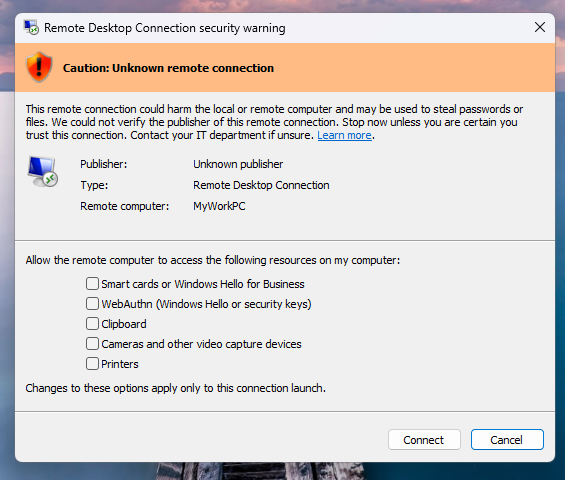
You connect from any device, a laptop or even a phone, to a Windows machine running in a data center. That machine does all the work: it runs the programs, stores the files, and uses its own internet connection. What you see is a live picture of its screen, and your clicks and keystrokes travel back to it.
That is why a residential RDP can browse the web from a clean US residential IP while your own computer stays at home. Great for checking accounts, running software 24/7, testing, or working from a machine that never sleeps.
How VPN works
A VPN makes your device behave as if it is physically connected to another network. All your traffic, browser, apps, everything, goes through an encrypted tunnel to a VPN server, then out to the internet from that server’s location.
The computer you are using still does the work. The VPN only changes where your traffic appears to come from. Great for hiding your location, securing public Wi-Fi, and reaching office resources.
RDP vs VPN side by side

| RDP | VPN | |
|---|---|---|
| What you get | A remote Windows desktop | Encrypted network connection |
| Who does the work | The remote machine | Your own machine |
| Best for | Using software or accounts that must run remotely | Browsing anonymously, secure connections |
| Keeps running when you disconnect? | Yes, the machine keeps working | No, the tunnel drops |
| Setup difficulty | Easy, address and password | Can be more involved |
| Speed depends on | Remote machine CPU and network | Your connection plus VPN server distance |
When to choose RDP
- You want a whole Windows desktop you can control, install software, run browsers, leave it on overnight.
- You need a residential or datacenter IP from a specific location for accounts that check IPs.
- You want the work to keep running while your own computer is off.
- You are not technical and want something that feels like a normal PC.
When to choose VPN
- You only want to hide your IP or location for browsing.
- You need a secure tunnel on public Wi-Fi, like a coffee shop or airport.
- You want to protect all apps on your device at once, without a separate remote desktop.
- You want a connection to your office network, file shares and internal tools.
What most people get wrong
- “VPN hides me, RDP doesn’t.” Both give you a different IP. It is the location and type, residential vs datacenter, that matter, not the tool. A residential RDP and a residential VPN IP look similar from the outside.
- “RDP is slow because the connection is bad.” RDP speed depends mostly on the remote machine’s resources and network. If the remote machine is underpowered, everything feels slow no matter how fast your own internet is.
- “VPN is anonymous, period.” No tool makes you anonymous by itself. Sites still fingerprint your browser, and datacenter VPN IPs get flagged all the time. That is exactly why some people buy residential.

What we actually recommend
If you want to run programs, manage accounts, or work from a desktop that stays on 24/7, choose RDP.
If you just want your browsing to look like it comes from another place, on your own laptop, choose VPN.
If you want the best of both, use our residential RDP with a residential IP, and you get a remote desktop that behaves like a local residential machine. That is the setup most of our customers end up with.
Still not sure?
Tell us what you are trying to do and we will point you at the right product. Open a ticket or check our RDP and VPN pages.