A Windows VPS (Virtual Private Server) is a virtual machine that runs its own copy of Windows with dedicated resources — RAM, CPU cores, disk and bandwidth — carved out of a physical server. It behaves like a real, always-on Windows computer in the cloud, but it costs a fraction of a dedicated server and gives you far more control than shared hosting.
This guide explains what a Windows VPS actually is, why you would choose one, and what you should check before ordering — written for both beginners and people who have used hosting for years.
What is a Windows VPS?
Imagine a physical server divided into several independent compartments. Each compartment runs its own operating system with guaranteed resources that no other customer can touch. That compartment is your VPS.
On a Windows VPS, the operating system is Windows Server (for example Windows Server 2016, 2019, 2022 or 2025 — or Windows 10/11 on RDP plans). Because the resources are reserved for you, your performance does not drop when other customers load their servers, which is the classic shared-hosting problem.
Windows VPS vs shared hosting vs dedicated server
To know whether a Windows VPS is right for you, it helps to see how it compares:
- Shared hosting — cheapest, but you share CPU, RAM and disk with everyone on the machine. One busy neighbor slows down your sites. No root/admin access.
- Windows VPS — reserved resources, full administrator access, your own OS instance. Mid-price. The best balance for most businesses.
- Dedicated server — an entire physical machine just for you. Maximum power and isolation, but the highest price and more management responsibility.
When a business grows out of shared hosting but does not yet need — or cannot justify — a dedicated server, a Windows VPS is the natural step.
Main advantages of a Windows VPS
Full administrator access
You log in with full administrator rights and install any software, change any setting, or run any service — exactly like your own PC. No hosting company limits what you can do inside the machine.
Dedicated resources and stable performance
The CPU, RAM and disk are reserved for you. Your sites and apps do not slow down when other customers are busy, and you can scale the plan up as you grow.
Daily backups
Your Windows VPS is backed up regularly. If something breaks, you can restore the machine to a recent working state instead of starting from scratch.
Automatic system updates
Updates are managed for you, so your server stays patched and secure without you spending time on maintenance.
Capacity and availability monitoring
The VPS tracks your resource usage live, and the hosting provider monitors uptime. Problems are caught early, often before you notice them.
Expert support
When something goes wrong, you have a support team to contact — the same team that manages the infrastructure, so they can actually help with the machine itself.
What can you use a Windows VPS for?
- Hosting websites and web apps — WordPress, custom applications, e-commerce stores.
- Running Windows-only software — tools that have no Linux or Mac version.
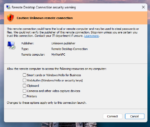
- Remote desktop (RDP) — a full Windows desktop you log into from anywhere (that’s what Aminserve RDP is).
- Testing and development — a clean Windows environment for builds, scripts and experiments.
- Application hosting — databases, game servers, automation, scrapers.
What to check before ordering a Windows VPS
Not all providers are equal. Before you sign up, check:
- Uptime and server quality — some cheap providers run overloaded machines and sell you a bad experience.
- The Windows version available — make sure it supports what you need (software compatibility, features).
- RAM and CPU allotment — match the plan to your workload; 2 GB is fine for light use, 4 GB+ for real work.
- Backups and restore — is there an automatic backup, and can you restore it yourself?
- Support — can you reach a human who knows the infrastructure?
- Location — choose a datacenter close to your users for lower latency.
Aminserve offers Windows VPS plans in USA, UK, Germany, France, Switzerland and Netherlands, with daily backups, admin access and 24/7 support.
Windows VPS vs RDP — what is the difference?
Technically they are the same machine. The difference is how you use it:
- Windows VPS — the server itself; used for hosting, services and administration.
- RDP — the remote desktop connection that lets you see and control that Windows machine from your own computer, phone or tablet.
At Aminserve, both come together: order a Windows server and connect to it over RDP. See the difference explained in our RDP vs VPN guide and the fixing and managing guide.
Ready to get started? Browse Windows VPS plans.