Windows 10 is one of the most popular operating systems for a Remote Desktop (RDP), and Aminserve has offered it since 2017. A Windows 10 RDP gives you a full, familiar Windows desktop running in the cloud — one you can open from any device and drive exactly like a normal PC. You get administrator access, your own IP, and the ability to install any software you need.
This guide explains what a Windows 10 RDP is for, how much power it really needs (based on what our customers actually run), and how to order one in a few clicks.

What is a Windows 10 RDP?
A Windows 10 RDP is a virtual machine hosted on Aminserve’s servers, running Windows 10 as its operating system. You connect to it over the internet with the Remote Desktop client on any computer, phone, or tablet. What you see is a real Windows 10 desktop — icons, start menu, taskbar, everything — that only you can access.
Because it runs in the cloud, it does not matter if your own PC is a Mac, a Chromebook, or an old machine. The heavy work happens on the server, so the RDP handles software and tasks your local hardware might struggle with.
Who uses a Windows 10 RDP — and for what?
We see a few common reasons in our support tickets. If any of these match what you need, Windows 10 RDP is a good fit:
- Windows-only software. You need to run a program that has no Mac or Linux version, from accounting tools to niche business apps.
- Consistent testing. You want a stable Windows environment to test websites, builds, or scripts without changing your main PC.
- One machine, many locations. The same desktop follows you everywhere — office, home, client site — and you always open the identical, ready-to-work setup.
- Older software compatibility. Windows 10 still runs a lot of legacy apps better than Windows 11.
How much power does a Windows 10 RDP need?
This is the question we answer most. Windows 10 is heavier than older server operating systems, especially for RAM. In our experience fulfilling orders — and from tickets where Windows 10 RDPs ran slowly — do not order Windows 10 on the smallest plan.
- 2048 MB (2 GB) — minimum to run Windows 10, fine for light single-task use.
- 4096 MB (4 GB) — the sweet spot. Smooth for normal work, browsers, office apps, most software. This is what we recommend for most customers.
- 8192 MB (8 GB) — for heavy use: multiple apps at once, video, larger workloads.
If you plan to browse, install software, and run a few apps at once, do not pick the smallest plan. The extra RAM is the difference between an RDP that feels snappy and one that gets slow, which is exactly the “VPS Windows 10 very slow” ticket we see often.
Windows 10 or Windows 11 for a VPS?
Both are available. The choice depends on what you run:
- Windows 10 — the safer pick for older software, drivers, and tools. It is stable, well understood, and lighter on RAM than Windows 11.
- Windows 11 — the more modern desktop, with the latest interface and features. It needs slightly more resources, so pick it only when your plan has enough RAM (4 GB+).
If you are not sure, Windows 10 is the safer default for compatibility. If you need the newest look and features, go Windows 11 with a 4 GB+ plan.
Which plans and countries offer Windows 10 RDP?
Windows 10 RDP is available on Aminserve plans in all major locations: USA RDP, UK RDP, Germany RDP, France RDP, Switzerland RDP, and Netherlands RDP.
When you order, you can pick Windows 10 (or Windows 11) as the operating system. Every plan comes with full administrator access, so you are not locked down — you can install the software you need, change settings, and manage the machine.

How to order a Windows 10 RDP
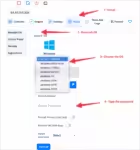
- Go to aminserve.com/rdp.
- Choose your country and pick a plan, ideally 4096 MB or higher for a smooth Windows 10 experience.
- During checkout, select Windows 10 (or Windows 11) as the OS.
- Complete the order with card, PayPal or Bitcoin.
- Your RDP login details arrive by email within minutes of confirmation.
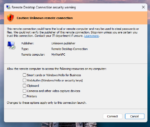
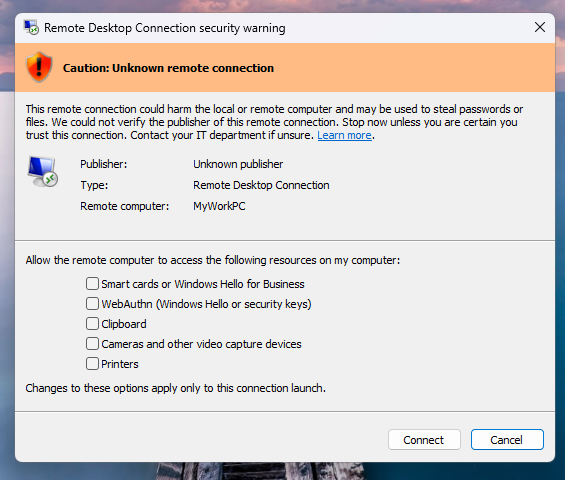
Open the login details in the Remote Desktop client (built into Windows and macOS) and you are in — a clean Windows 10 desktop ready to work.

Common questions about Windows 10 RDP
Can I upgrade my current plan to Windows 10?
Yes. If your existing RDP or VPS is running another OS, open a support ticket or use the reinstall option in your client panel, and switch to Windows 10. Make sure the plan has enough RAM (2 GB minimum, 4 GB+ recommended).
Is Windows 10 made for servers?
Windows 10 is a desktop operating system, not a server OS. For server work you normally use Windows Server editions. But for a personal RDP — where you want a normal Windows desktop you can log into and use — Windows 10 is exactly right. If you need multi-user RDP with fine access controls, Windows Server plans are the better fit.
Do I get administrator access?
Yes. Every Windows 10 RDP order comes with full administrator access, so you can install software, change system settings, and manage the machine like your own PC.