Most Used TCP & UDP Network Ports Cheatsheet: Web, Mail, Database & Panels
Premium services since 2010
Trusted by thousands of businesses worldwide • 99.9% Uptime Guarantee • Crypto Accepted
Table of Contents
Every internet communication—from loading a secure webpage or connecting via SSH to syncing email and managing databases—relies on standardized TCP and UDP network ports. In computer networking, a port is a 16-bit numerical identifier (ranging from 0 to 65535) assigned to specific network protocols, services, and software daemons running on an operating system.
Whether you are configuring firewall rules (UFW, FirewallD, CSF), troubleshooting application connectivity on a Linux VPS, or opening endpoints on a Windows RDP server, having a categorized reference guide of standard network ports is essential.
Understanding port ranges (Well-Known vs. Registered vs. Dynamic)
The Internet Assigned Numbers Authority (IANA) categorizes network ports into three distinct ranges:
Well-Known Ports (0 – 1023): Reserved for core operating system services and fundamental internet protocols (HTTP, HTTPS, SSH, DNS, FTP, SMTP). Require root / administrative privileges to bind.
Registered Ports (1024 – 49151): Assigned by IANA for specific vendor applications, database engines, and web control panels (MySQL, PostgreSQL, RDP, cPanel, Webmin).
Dynamic / Ephemeral Ports (49152 – 65535): Allocated dynamically by operating systems for temporary outbound client connections.
Core remote management and system ports
Port Number
Protocol
Service Name
Description & Common Usage
22
TCP
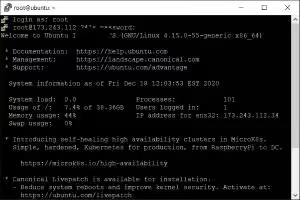
SSH / SFTP
Secure Shell remote command-line login and encrypted file transfers.
3389
TCP / UDP
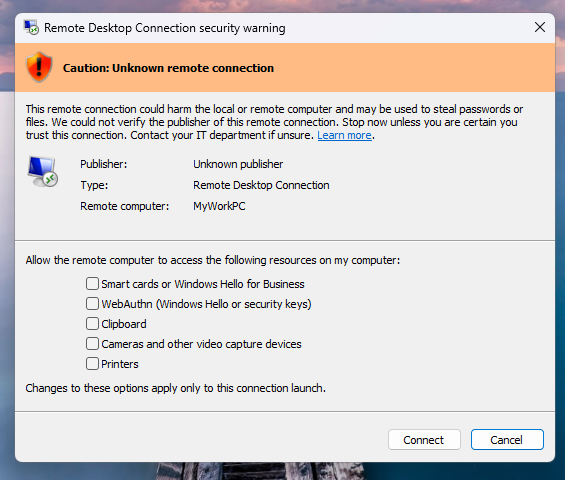
RDP
Microsoft Remote Desktop Protocol for managing Windows servers.
Domain Name System queries (UDP) and DNS zone transfers (TCP).
123
UDP
NTP
Network Time Protocol for automated server clock synchronization.
Web and HTTP / HTTPS application ports
Port Number
Protocol
Service Name
Description & Common Usage
80
TCP
HTTP
Standard unencrypted World Wide Web traffic (Nginx, Apache, Caddy).
443
TCP / UDP
HTTPS / HTTP3
Secure encrypted web traffic (TLS/SSL) and modern QUIC / HTTP/3.
8080
TCP
HTTP Alternate
Common development port, proxy backend, Tomcat, and caching layer.
8443
TCP
HTTPS Alternate
Secure web services, Tomcat SSL, and Plesk administration.
Email and mail transfer ports (SMTP, IMAP, POP3)
Port Number
Protocol
Service Name
Description & Common Usage
25
TCP
SMTP
Server-to-server mail relay (often blocked by residential ISPs).
465
TCP
SMTPS
Secure SMTP submission over implicit SSL/TLS.
587
TCP
SMTP Submission
Standard client-to-server email sending with STARTTLS encryption.
993
TCP
IMAPS
Secure incoming email retrieval over SSL/TLS (recommended for IMAP).
995
TCP
POP3S
Secure POP3 incoming email retrieval over SSL/TLS.
Database server ports
Port Number
Protocol
Service Name
Description & Best Practices
3306
TCP
MySQL / MariaDB
Default relational database port. Bind to 127.0.0.1 to prevent public exposure.
5432
TCP
PostgreSQL
Standard PostgreSQL database port.
1433
TCP
Microsoft SQL Server
Default MS SQL Server database instance.
6379
TCP
Redis
In-memory data store / cache. Always enforce password auth and localhost binding.
27017
TCP
MongoDB
Default NoSQL database port.
Web hosting control panel ports
Port Number
Protocol
Control Panel
Interface Function
2082 / 2083
TCP
cPanel
Port 2082 (Plain HTTP) / Port 2083 (Secure HTTPS).
2086 / 2087
TCP
WHM (WebHost Manager)
Port 2086 (Plain HTTP) / Port 2087 (Secure HTTPS administrative login).
2095 / 2096
TCP
cPanel Webmail
Port 2095 (HTTP) / Port 2096 (Secure HTTPS Webmail).
2222
TCP
DirectAdmin
Default DirectAdmin server management interface.
10000
TCP
Webmin / Virtualmin
Webmin System Administration panel (HTTPS).
How to check listening ports on Linux and Windows
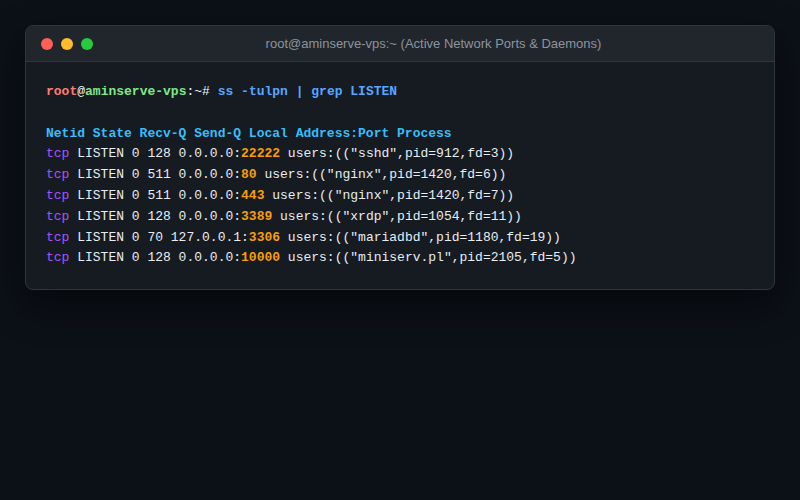
On Linux (Modern ss command):
# List all listening TCP and UDP sockets with process names:
sudo ss -tulpn | grep LISTEN
On Windows (PowerShell or CMD):
# View active listening ports and process IDs:
netstat -ano | findstr LISTENING
For high-performance, developer-ready Linux and Windows cloud hosting with full root autonomy and DDoS-protected 1Gbps ports, explore Aminserve VPS Hosting and High-Speed RDP Plans with 24/7 dedicated support.