Core system libraries in Linux—most critically the GNU C Library (glibc), OpenSSL, and the Linux Kernel—form the foundation of every process running on your Linux VPS or bare-metal dedicated server. Critical vulnerabilities such as GHOST (CVE-2015-0235), Looney Tunables (CVE-2023-4911), and Dirty COW exploit buffer overflows in functions like __gethostbyname() and dynamic loader parsing, allowing unauthenticated attackers or local unprivileged users to achieve Remote Code Execution (RCE) and root privilege escalation.
This beginner-friendly system administration guide breaks down how core Linux library exploits operate, provides copy-paste patching commands for Ubuntu 24.04 / 22.04 LTS, Debian 12, and AlmaLinux / Rocky Linux / RHEL 9 & 8, and shows how to verify patch status without forcing unnecessary server reboots. If you also manage remote graphical desktops on Linux, check our guides on Ubuntu Desktop with XRDP and VNC Remote Access.
Technical anatomy of Linux glibc vulnerabilities
The GNU C Library provides the core application programming interface (API) for the system:
- Name Resolution & Memory Corruption: Flaws in legacy functions like
gethostbyname()andgethostbyname2()suffer from heap-based buffer overflows when parsing crafted domain strings containing dots and numeric characters. - Dynamic Linker Exploitation (
ld.so): Environment variable parsing vulnerabilities (such asGLIBC_TUNABLES) allow local attackers to corrupt the stack before an application’s security boundary initializes, immediately executing payloads with SUID root permissions. - Daemon Impact: Web servers (Nginx/Apache), mail servers (Postfix/Exim), and DNS caches (nscd) linking to unpatched
libc.so.6become vulnerable to remote exploitation over network ports.
Step 1: Update and patch Ubuntu and Debian servers
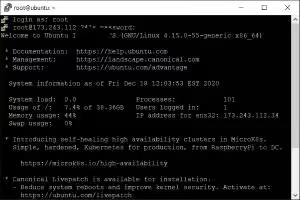
To patch glibc (packaged as libc6) and critical cryptographic libraries on Ubuntu and Debian without upgrading unrelated services:
- Connect to your server via SSH as root (or use
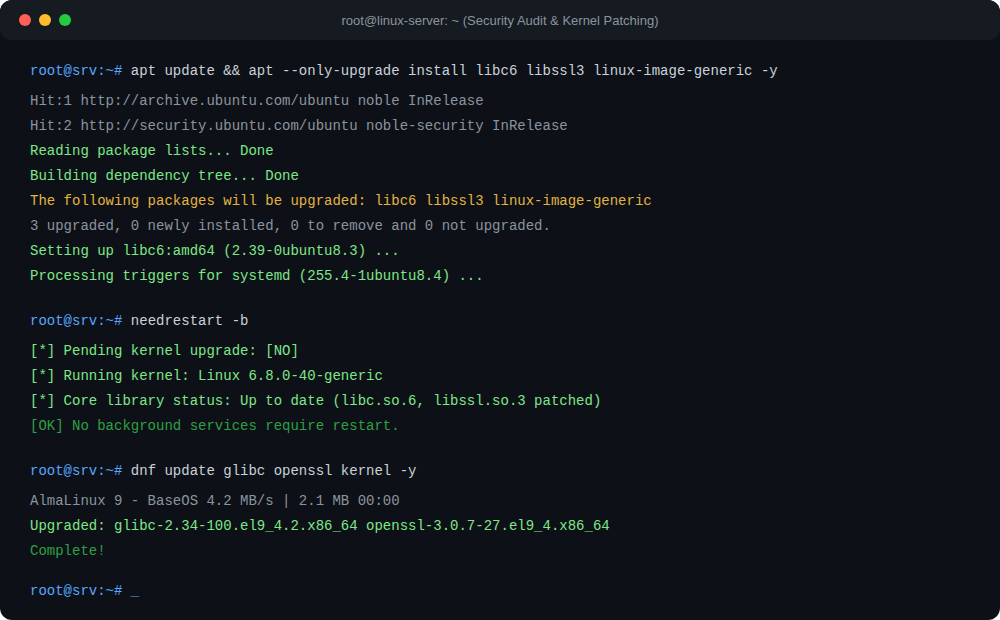
sudo):# Refresh package indexes and upgrade core security libraries apt update && apt --only-upgrade install libc6 libc-bin libssl3 -y - Verify the installed
libcrelease:# Check patched glibc package version dpkg -l | grep -E "libc6|libc-bin"
Step 2: Update and patch AlmaLinux, Rocky Linux, and RHEL
For modern Enterprise Linux 9 and 8 distributions (replacing deprecated CentOS 6/7):
- Execute the targeted DNF security update:
# Upgrade glibc and system libraries via DNF dnf update glibc openssl kernel -y - Verify package integrity:
# Confirm latest glibc build is installed
rpm -q glibc
Step 3: Restart services using needrestart (No reboot required)
When glibc is upgraded, long-running daemons in memory continue running the old, unpatched library in RAM until they are restarted. Rather than rebooting your entire server:
- Install and run
needrestarton Ubuntu/Debian:# Scan for running daemons requiring restart apt install needrestart -y needrestart -b - On AlmaLinux / RHEL, check running processes with
needs-restarting:# List services holding deleted memory maps dnf install dnf-utils -y needs-restarting -s - Restart flagged services (e.g.
systemctl restart nginx php8.2-fpm sshd). If a kernel update was also installed, plan a brief reboot window during off-peak hours.
Step 4: Automate security updates with unattended-upgrades
Prevent future zero-day vulnerabilities by enabling automated overnight security patches:
# Enable automatic security patching on Ubuntu/Debian
apt install unattended-upgrades -y
dpkg-reconfigure --priority=low unattended-upgrades
To secure access to your Linux management ports, follow our guides on How to Change Default SSH Port and Configuring CSF Firewall on Linux.
For high-security hosting backed by isolated KVM hypervisors, enterprise hardware firewalls, and unmetered 1Gbps connectivity, explore Aminserve Linux Cloud VPS and Dedicated Server Infrastructure.